Viewing and Generating API Keys
API keys can be used to authenticate a specific project, such as an application. Use the API Key dialog to view and copy your API key, or to generate a new API key. You can also copy example API requests (i.e., WMS, WMTS, and WFS requests) to use with third-party imagery tools.
Do not share your API key with others or expose it in code or your browser.
For more information about using your API key, see https://developers.vantor.com/.
-
From the user profile menu, select API Key. The API Key dialog opens.
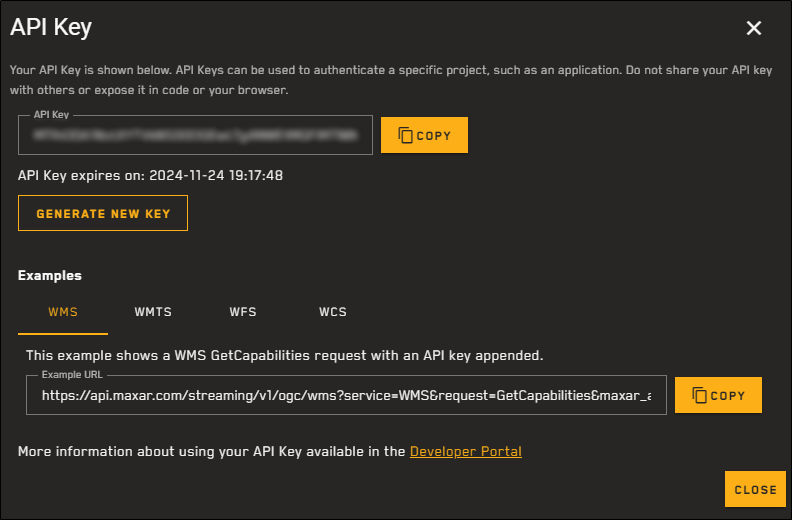
The API Key dialog allows you to view and generate API keys for authentication.
-
Do any of the following, depending on how you want to work with the API key.
 View and Copy Your API Key
Your API key displays in the API Key field.
-
To copy the key, select Copy.
Generate a New API Key
Your API key expires 180 days from generation. The expiration date displays below the API Key field.
-
If you want to generate a new key with a later expiration date, select Generate New Key. The API key and its expiration date update.
Generating a new API key invalidates the old API key.
Use API Key Examples
You can view and copy example WMS, WMTS, and WFS requests in the Examples section of the API Key dialog. Each example includes your generated API key.
-
Select the type of example request you want to use.
-
To copy the example request, select Copy.
After copying the example request, you can manually modify it to use a different request type, if desired.
For more information about using your API key, see https://developers.vantor.com/.
-
-
When you are done working with the API key, select Close.