Using the Image Menu
You can use the Image Menu to perform more in-depth image tasks. The Image Menu is available in both card and list view.
-
On the image you want to work with, select the Image Menu
 .
. -
Select one of the following options:
 Exploit Image / Request to Exploit
The image menu displays one of two options, depending on whether or not the selected image is immediately available to exploit.
-
Exploit Image Some images are available for exploitation. When you exploit an image, you can manipulate color bands and use exploit presets to enhance different areas of an image. This lets you create an image product in real-time based on your specific needs, and view the newly manipulated image on the map.
Exploitable images are marked with a blue flag.
-
Request for Exploit Some images must be requested before they can be exploited. If you select an image that is not ready for immediate exploitation, you will see the Request to Exploit option in the Image Menu
instead of the Exploit Image option. Select Request to Exploit to make your selected image available online in the Raster Analytics repository.
See Exploiting Imagery.
View Metadata
View detailed information about an image (e.g., image ID, acquisition date and time, sensor, cloud cover, GSD, ONA).
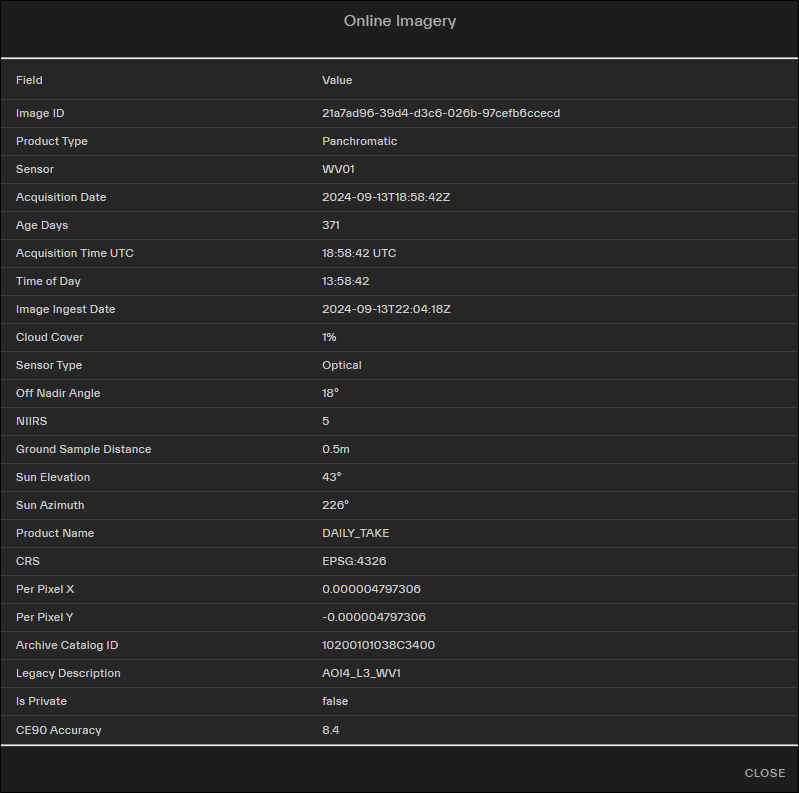
An example of image metadata for online imagery.
Use list view to see image metadata for multiple images at the same time. List view's sortable columns allow you to easily compare imagery based on its metadata. You can also toggle metadata attributes if you do not need to see all the metadata at once.
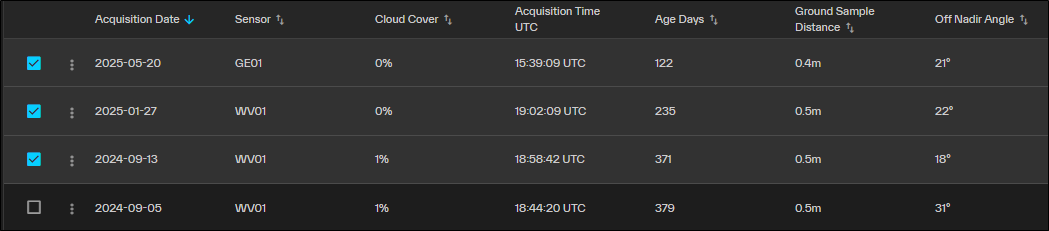
In list view, metadata appears in sortable columns and is visible for all images at once.
In online image metadata, the ground sample distance is actually displaying sensor class, not true image GSD.
Zoom To Extent
Zooms the map in or out so the full image strip is centered in the viewport.
Move Image to Top / Move Pair to Top
Move an image or stereo pair to the top of the Imagery panel. Unlike dragging and dropping imagery, which only lets you move imagery within the same page of results, Move Image to Top / Move Pair to Top can move imagery from any page of the results to the top of the stack. Moving an image or stereo pair to the top locks the Imagery panel and restacks the imagery in the viewport.
Order Image
Opens the Order Image panel.
Annotate Image
Identify areas of an image. You can add several types of annotations to an image, including circles, rectangles, and polygons.
See Annotations.
Order Object Detections
Order object detections for the selected image. You can order aircraft, construction, military, vehicle, or vessel detections.
-